

Benjamin Moore Sunshine on the Bay 347
Contentsshow +hide -
| Official page: | Sunshine on the Bay 347 |
| Code: | 347 |
| Name: | Sunshine on the Bay |
| Brand: | Benjamin Moore |
What color is Benjamin Moore Sunshine on the Bay?
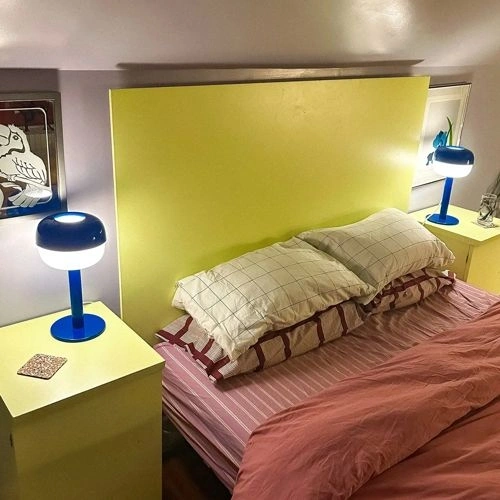
Benjamin Moore Sunshine on the Bay 347 is a light, creamy yellow with a soft buttery cast drawn from its pale #F3E49C value. Its warmth is clear but restrained, so it reads brighter than beige without becoming a sharp, citrusy yellow. In sunlit rooms, Sunshine on the Bay can look airy and softly golden, while lower light may bring out its muted cream side. It suits kitchen walls, breakfast nooks, children’s rooms, or a cheerful front entry where a gentle wash of color is wanted. Pair it with warm white trim, natural oak, woven textures, and soft blue or muted green accents for contrast.
Try before you buy

100% accurate
reusable paint samples

Peel, stick,
and repeat

Twice painted
with real paint

Next day
delivery
What are Benjamin Moore Sunshine on the Bay undertones?
Sunshine on the Bay is a light, soft pale yellow. The HEX sample leans yellow; this describes its measurable digital hue direction, not a hidden paint pigment. Warm bulbs can make it look creamier or more golden, while cool daylight may mute that warmth and pull it closer to beige or greige.
HEX value:
RGB code:
243, 228, 156
Is Benjamin Moore Sunshine on the Bay cool or warm?
warm
cool
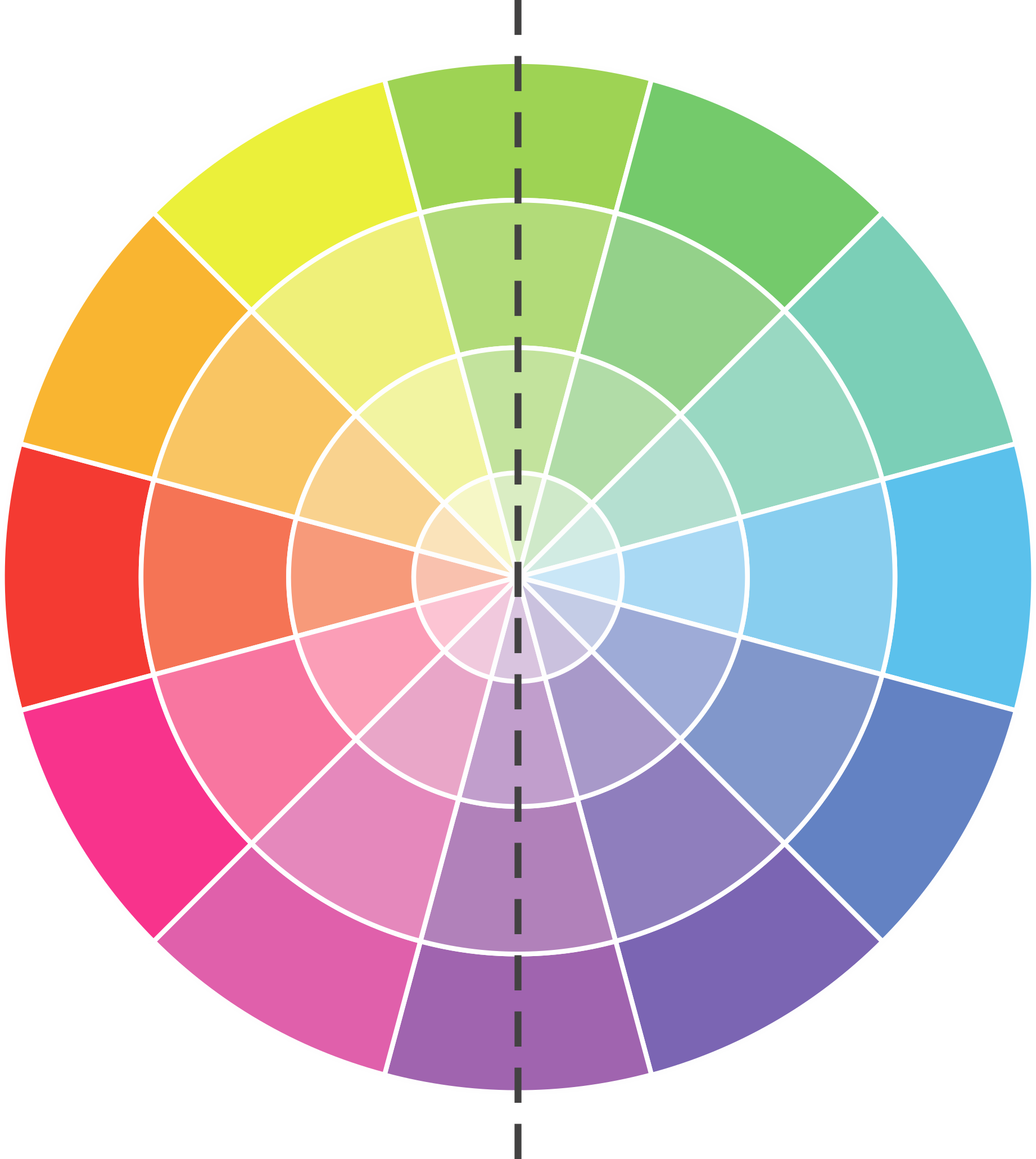
At 50° on the HSL hue wheel, this Yellow sits firmly on the warm side.
347 Sunshine on the Bay HSL code: 50, 78%, 78%
Hue - degree on a color wheel from 0 to 360. 0 is red, 120 is green, and 240 is blue.
Saturation is expressed as a percentage. At 0%, it appears as a shade of grey, and at 100%, it is in full color.
Lightness is also a percentage value. 0% is black, and 100% is white.
How light temperature affects Sunshine on the Bay
Natural Lighting. During the day, natural light shifts from about 2000 K at sunrise/sunset to 5500–6500 K at noon.
In addition, natural-light temperature depends on its direction:
| Direction of sunlight | Visible temp. | Hue | Duration |
|---|---|---|---|
| North | Cool | Bluish | All day |
| East | Warm | Yellow | Before noon |
| West | Warm | Orange-red | After noon |
| South | Warm | Orange-yellow | All day |
Artificial Lighting. When choosing bulbs, pay attention to their color temperature in Kelvins.
Use the slider to see how this Yellow shade looks under different lighting:
Coordinating colors.
Colors that go with Benjamin Moore Sunshine on the Bay:
Monochromatic color scheme
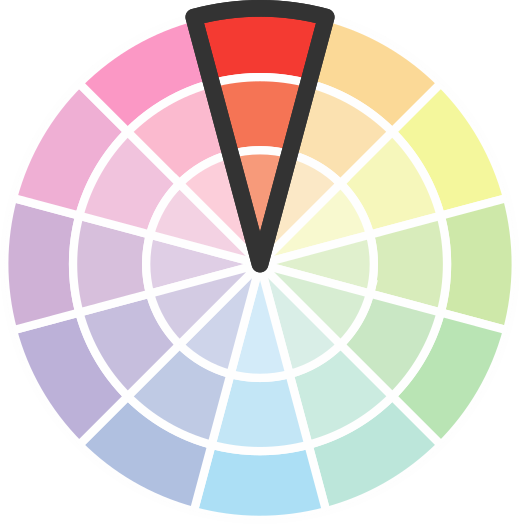
This scheme consists of various shades, tints, and tones of a single color. While it offers a perfect combination of hues, without accent décor it may become monotonous.
Lighter shades
347
Sunshine on the Bay

Darker shades
347
Sunshine on the Bay
Complementary color scheme
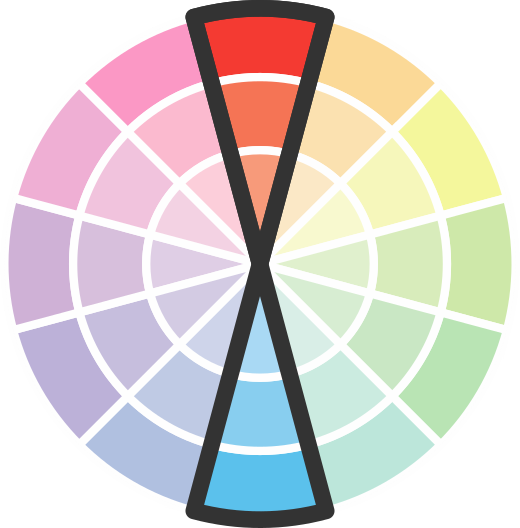
This color scheme is a combination of two shades that are opposite each other on the color wheel. The high contrast between these colors creates a vibrant and dynamic visual effect. For the color Sunshine on the Bay with a orange hue, complementary colors are those with a blue hue close to 230, such as Benjamin Moore Watertown and Admiral Blue.





LRV of Sunshine on the Bay
Sunshine on the Bay has an LRV of 72.82% and refers to Off‑White colors that reflect a lot of light. Why LRV is important?
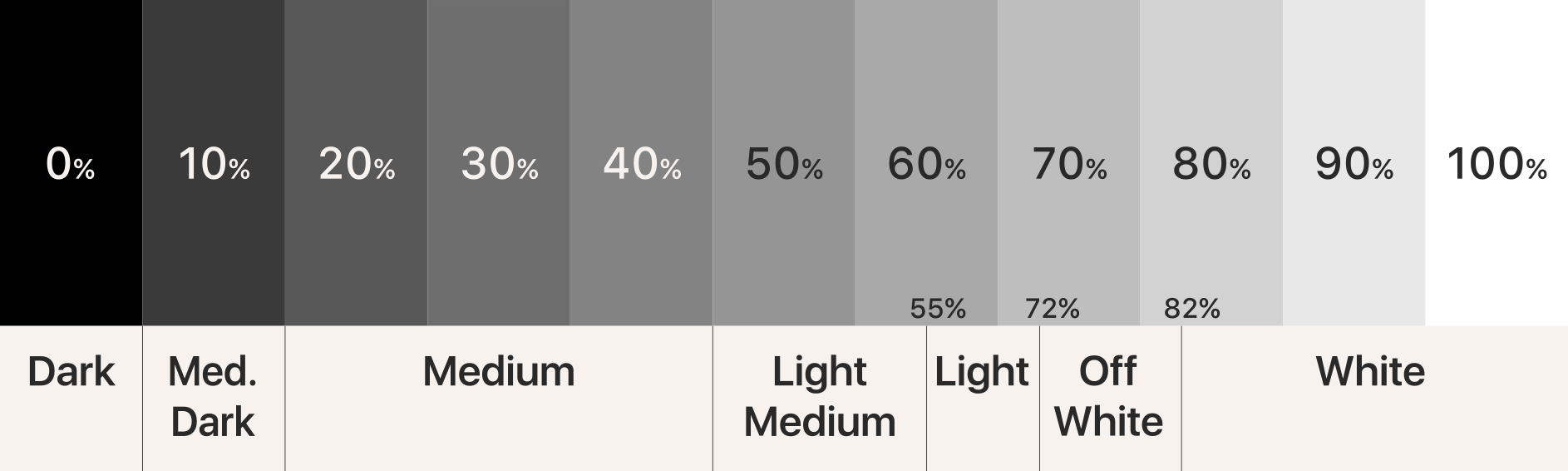
Light Reflectance Value measures the amount of visible and usable light that reflects from a painted surface.
Simply put, the higher the LRV of a paint color, the brighter the room you will get.
The scale goes from 0% (absolute black, absorbing all light) to 100% (pure white, reflecting all light).
Act like a pro: When choosing paint with an LRV of 72.82%, pay attention to your bulbs' brightness. Light brightness is measured in lumens. The lower the paint's LRV, the higher lumen level you need. Every square foot of room needs at least 40 lumens. That means for a 200 ft2 living room you'll need about 8000 lumens of light – e.g., eight 1000 lm bulbs.
Color codes
We have collected almost every possible color code you could ever need.
Not sure what the difference between HEX and RGB is? We break down color models in plain language. Understanding color models
| Format | Code |
|---|---|
| HEX | #F3E49C |
| RGB Decimal | 243, 228, 156 |
| RGB Percent | 95.29%, 89.41%, 61.18% |
| HSV | Hue: 50° Saturation: 35.8% Value: 95.29% |
| HSL | hsl(50, 78, 78) |
| CMYK | Cyan: 0.0 Magenta: 6.17 Yellow: 35.8 Key: 4.71 |
| YIQ | Y: 224.277 I: 32.075 Q: -19.233 |
| XYZ | X: 70.707 Y: 76.944 Z: 42.571 |
| CIE Lab | L:90.296 a:-5.123 b:37.024 |
| CIE Luv | L:90.296 u:13.221 v:51.233 |
| Decimal | 15983772 |
| Hunter Lab | 87.718, -9.622, 32.628 |
Color equivalents
284
Copacabana
Benjamin Moore

P310-4
Storm Lightning
Behr
368
City Scape Morning
Benjamin Moore
333
Pineapple Grove
Benjamin Moore
325
Wildflowers
Benjamin Moore
SW 6908
Fun Yellow
Sherwin Williams
SW 1666
Venetian Yellow
Sherwin Williams

339
Lemon Grass
Benjamin Moore
367
Sunny Side Up
Benjamin Moore
290
Fresh Butter
Benjamin Moore
352
Sun City
Benjamin Moore
P320-3
Lily Bulb
Behr
318
Little Angel
Benjamin Moore
359
Lightning Storm
Benjamin Moore
P330-3A
Flourish
Behr
2021-50
Yellow Lotus
Benjamin Moore
2024-50
Jasper Yellow
Benjamin Moore
P340-3
Reviving Green
Behr
2020-50
Mellow Yellow
Benjamin Moore
P300-4
Rise And Shine
Behr